
Step 1: Use the Windows search and search for 'Printers'
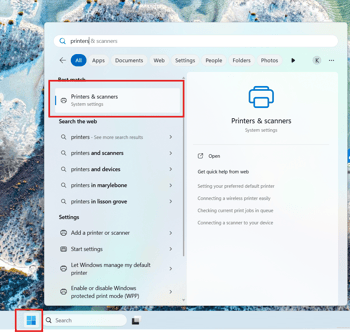
Step 2: Select the 'Add deivce' option:

Step 3: Select the 'Add device' option next to (HP Color LaserJet Pro MFP 4302)
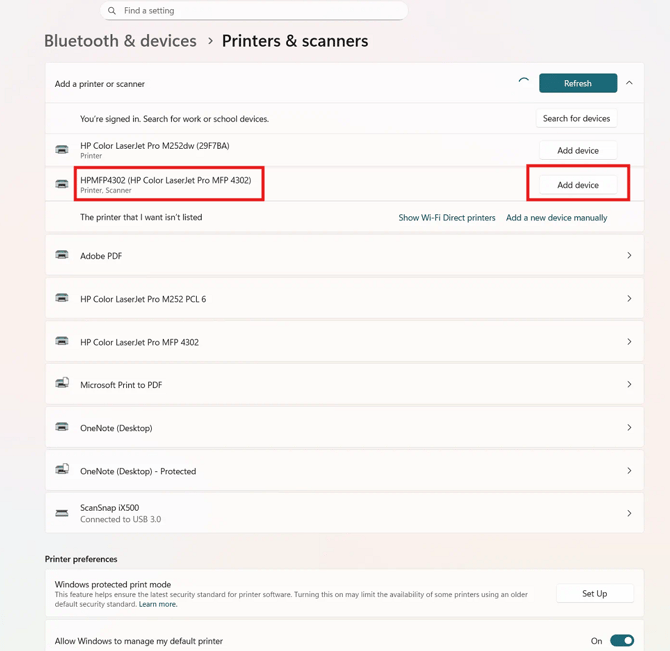
The printer will now be available to print from, if you have any issues with the above instruction set please contact ITB.